

Async Code in Node.Js

if you not already know by now what async code means , then you should probably read previous blogs .
for them who wants revise - async code runs parallelly with rest of the code ( its is just a short trailer , if you don't know then you shouldn't try to understand it )
Why async code exists?
lets answer it straight and short by citing an example:
you write a code to do order food from a app
while ordering you also want to write a note for yourself . now because writing in a file takes time the execution will not proceed .
before writing the food was added to cart .
lets say it was taking a lot of time as you have written a long extensive note . After the note was written the code progressed and begin to execute code that pays your food.
Then you got to know while your code was writing in file , the food got out of stock .
it would not have happened if it did not block the code and let it execute further.
i guess this will help for a more clear understanding .
Callback based async execution
what do you understand by term callback ?
a call that is done in after the initial call . i know that is too vague .
i tell you simply callback is a fancy term for functions , yes another term ( if you don't know about other then try to find out )
const fruits= [ "cherry" , "apple" , "mango" ]

fruits.map() // map is function .

fruits.map(()=>{}) // this arrow function inside the map is called callback , it can be a function too .
Now there is no limit to callbacks as there is no limit to How many calls a salesman can make you ! and these repeated calls make your life hell , in JavaScript ,that is called a callback hell .
getUser(userId, (user) => {
    getOrders(user, (orders) => {
        processOrders(orders, (processed) => {
            sendEmail(processed, (confirmation) => {
                console.log("Order Processed:", confirmation);
            });
        });
    });
});
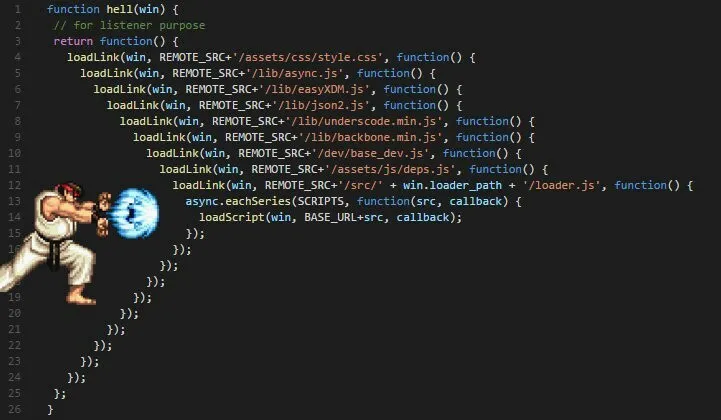
you see it can extend to infinity ,
what's the problem ?
Now many think the better option will have better performance but not always , it is as good as this callback but instead of this hell it is more readable.
Promises
the solution to the hell we have left behind.
JavaScript Promises were created to make asynchronous JavaScript easier to use.
i have explained promises in details in one of my previous blogs , i will try to give a quick context about promises.
A Promise can be in one of three states:
pending | operation started (not finished) |
rejected | operation failed |
fulfilled | operation completed |
let myPromise = new Promise(function(resolve, reject) {

// Code that may take some time

  resolve(value); // when successful
  reject(value);  // when error
});
to receive the value or error
myPromise.then(
  function(value) { /* code if success */ },
).catch(function(value) { /* code if error */ });
as you can see unlike in callback here the code is readable and grow only downwards not horizontally as well .
apart from then and catch promise also has finally , it is a method that runs in all cases.
myPromise.then(
  function(value) { /* code if success */ },
).catch(function(value) { /* code if error */ })
.finally(function(){/* can do something if want*/}
Benefits of Promise
Superior Error Handling: Promises offer built-in error propagation through .catch(), acting like a global try-catch block that prevents errors from being swallowed and simplifies debugging.
Linear Control Flow: They enable a synchronous-style coding approach where the output of one async step becomes the input of the next, making the logic easier to follow and refactor.
Guaranteed Execution: Promises ensure callbacks are called only once (either resolved or rejected) and can handle callbacks added after resolution, preventing race conditions common with raw callbacks.
Async/Await Foundation: Promises serve as the underlying mechanism for the modern async/await syntax, allowing developers to write asynchronous code that looks and behaves like synchronous code.
Parallel Task Management: Methods like Promise.all() and Promise.race() allow efficient handling of multiple concurrent asynchronous tasks, such as fetching data from multiple API endpoints simultaneously.


